
Save 7 hours
per person
every single week
eScribe is the most productive clinician tool ever made. Finish faster and get more done with over 170 new features for EMA.
Finish faster and get more done with over 170 new features for EMA.

8K+ less clicks
per clinician per month

91.7% less time
spent in EMA after 5pm

7+ hours saved
per clinician every week
Introducing
Break through the scroll barrier
Navigate with just a tap
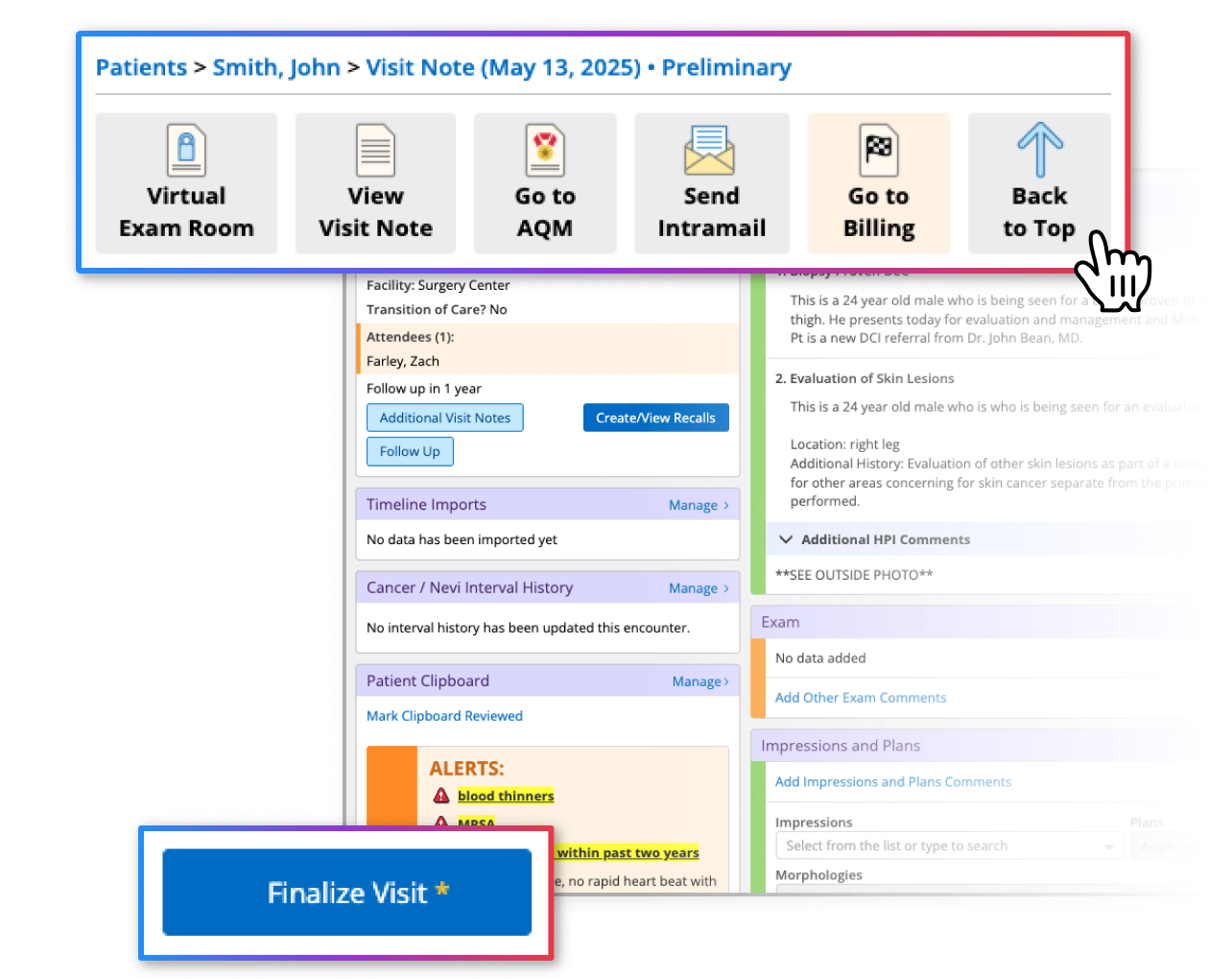
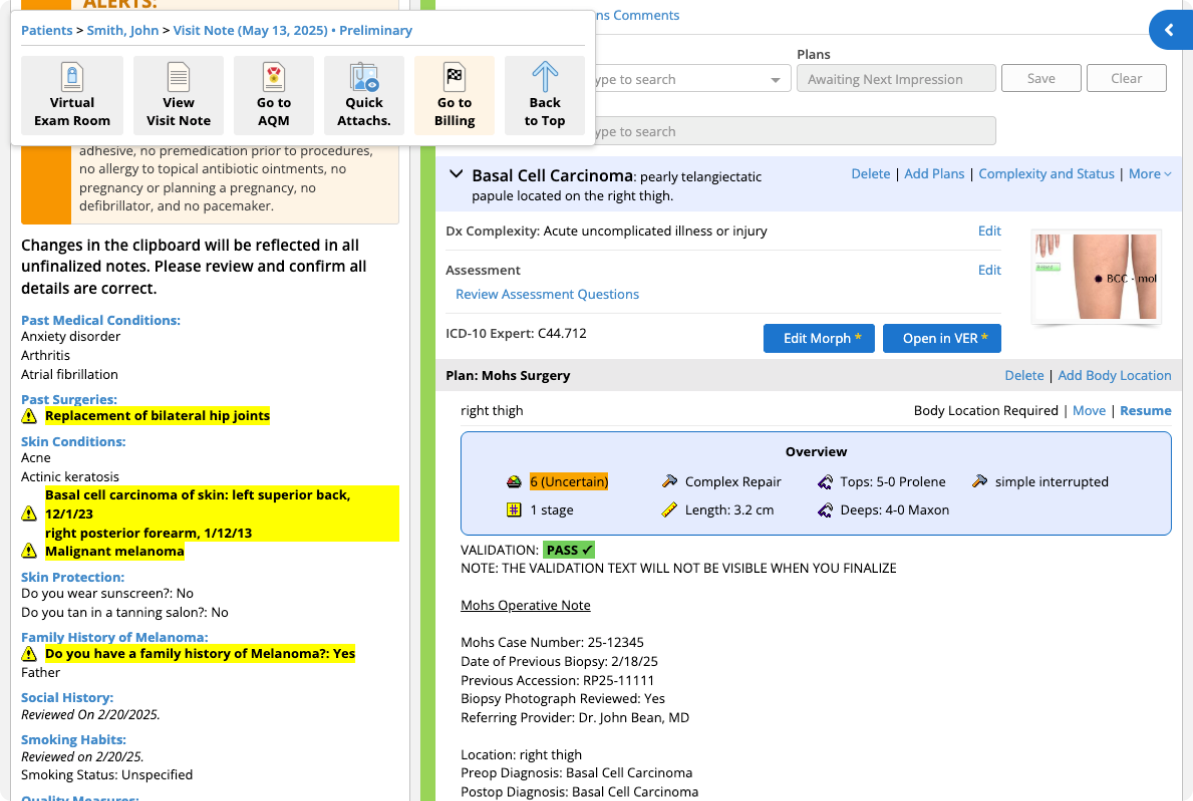
No matter how fast we are, we all hit the same limit: the sheer time it takes to scroll through a Visit.
With the Floating Action Bar, you have one-click access to the Virtual Exam Room, Billing, or the top of the page.
With keyboard shortcuts, you can even jump straight to Billing (Press "B"), HPIs (Press "H"), Exam (Press "E"), and Impressions (Press "I").
Review twice as fast
Make the important impossible to miss
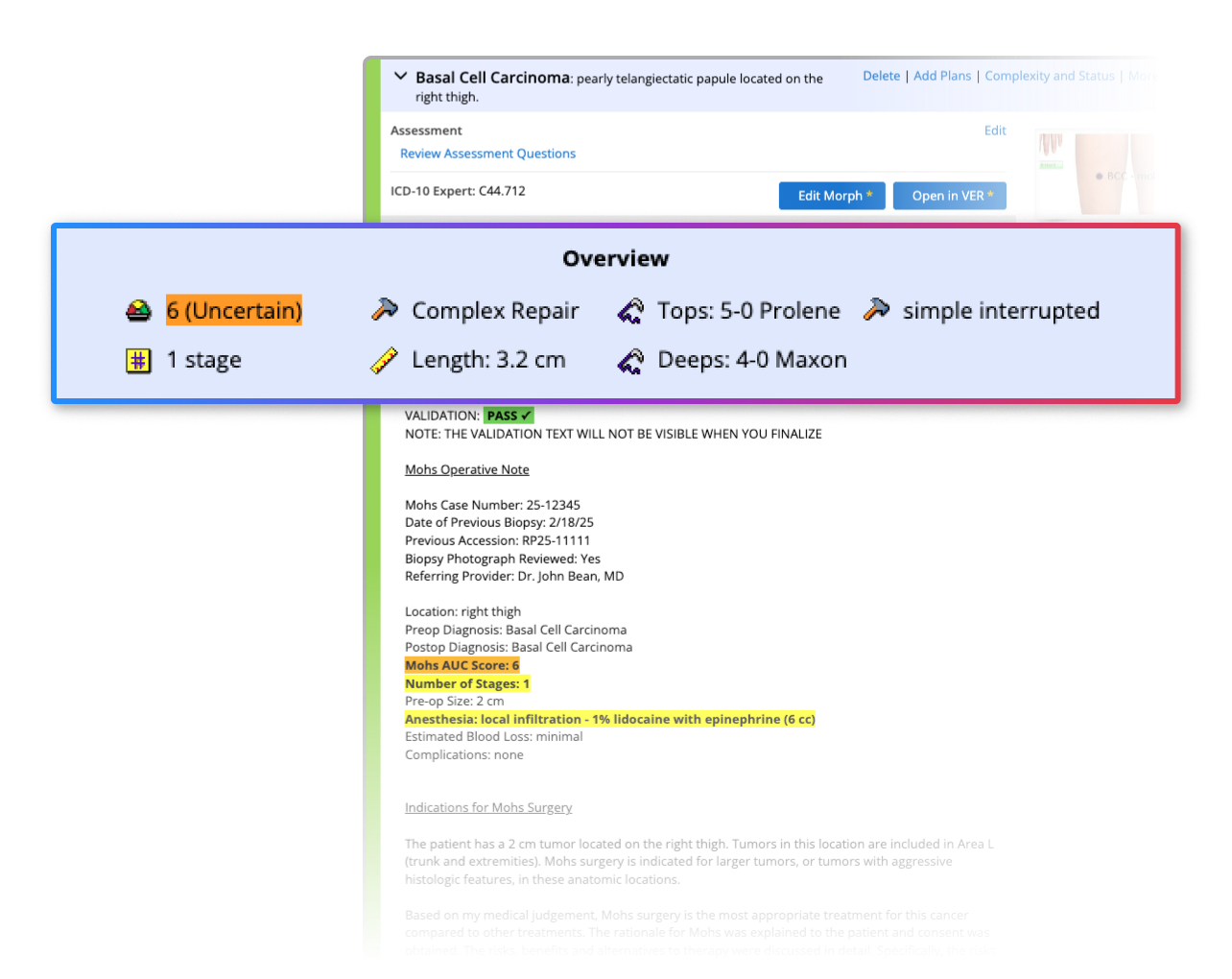
Notes keep getting longer, but your time has not. Important details get buried: A missed suture hidden in a wall of text, or a critical medical history tucked away in the Clipboard. The stakes are too high, and your time is too valuable.
eScribe makes the important impossible to miss. Impression data is grouped automatically, and Clipboard alerts light up in bold red and yellow.
Whether it's 6am Monday or 11pm Friday, you'll focus where it matters most.
Stay focused on what matters
Stay in motion with eScribe
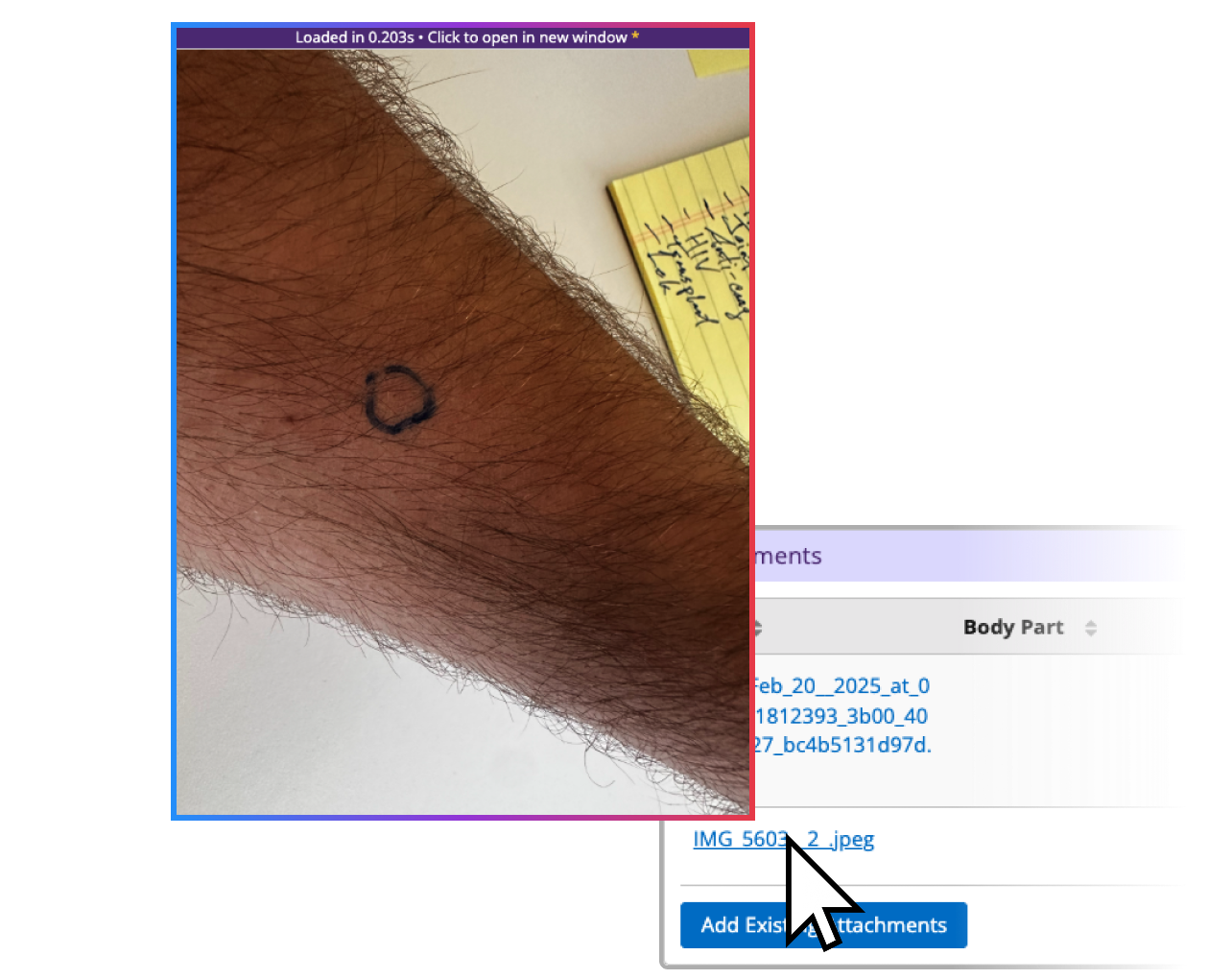
Surgery days are chaotic: you're reviewing biopsy photos, managing patient schedules, and racing through endless tasks. You need answers now, not after ten clicks and another loading spinner.
With eScribe, you stay in motion. Instant image previews and a streamlined schedule view help you start the day faster. A redesigned Task + Intramail inbox and real-time Appointment Flow help you finish it sooner.
Start using
in EMA in seconds
1
Click "Get eScribe"
Open eScribe in the Chrome Extension Store
2
Click "Add to Chrome"
Confirm the installation in your browser
Visit Ema
Open Ema and enjoy your transformed experience (Yes it's that easy!)
We help where
AI Scribes can't


Visit Prep
Prepare before you walk into the room with upcoming visits, images, and history at a glance.
Visit Editing
Refine and finalize notes (plus smart alerts for obvious mistakes).
Chart Review
Quickly scan and verify critical chart details, impressions, and history.
Draft Clinical Summary Generation
Using AI, generate a rough first-pass outline from visit audio.
Frequently asked
questions
What is eScribe?
eScribe is a Google Chrome Extension productivity tool for ModMed's EMA EMR that helps you get over 7 hours of time back every single week. eScribe adds over 170 features that help you break through the scroll barrier, review twice as fast, and stay focused on what matters. Built by a former medical scribe and his Mohs Surgeon Mom, we originally built eScribe to help us spend less time in EMA.
Is this HIPAA compliant?
Yes, we are fully HIPAA compliant and follow HITRUST best practices. eScribe cannot read or otherwise store, neither locally nor remotely, any patient names, DOBs, or other PHI.
What kind of data does eScribe collect and store?
eScribe DOES NOT collect or store any PHI (protected health information) including but not limited to patient names, dates of birth, or visit details. What we do collect is limited to your name and installation date, along with anonymized usage data (such as button clicks, feature interactions, and crash reports). This information is used only to improve eScribe.
Is this going to mess up my EMA? Will other users at my practice see it?
No, eScribe works similar to Grammarly, only passively changing how EMA looks and feels to you on your personal device.
What is the best way to get started using eScribe?
The best way to get started is simply to use EMA as you normally would — you'll discover everything eScribe has to offer seamlessly integrated into your workflow. eScribe's features are designed to "blend" in, so don't worry if you don't notice them right away. (Though we're confident you'll miss them when they're not there!)
I currently use Ema in Safari. Do I need to switch to Google Chrome?
Yes. eScribe requires Chrome, and ModMed actually recommends using Ema in Chrome as well, so switching will improve your overall experience even outside of eScribe.
I often use the Ema app on my iPad. Will eScribe work there?
At this time, eScribe only works with the web version of Ema. Most iPad users who try eScribe end up moving to the desktop version after a month because they prefer the speed and features it unlocks. That said, every workflow is different—we encourage you to try eScribe on desktop and see what works best for you.
© 2026 Farley's Healthcare, LLC
Good patient care starts with caring for the patient.